Struggling to find a powerful yet user-friendly AI tool for video and image creation? Openart AI promises to revolutionize your content production with advanced AI models and intuitive controls. Its design aims to streamline the creative process, making it accessible for both beginners and seasoned creators.
This Openart AI review will explore the platform’s core strengths, including AI video creation, image generation, and flexible pricing plans. Highlighting cutting-edge models like Seedance 2.5 and Nano Banana 2.1, Openart AI stands out by combining quality, speed, and precision—ideal for producing product ads or engaging social content that elevates your creative workflow.
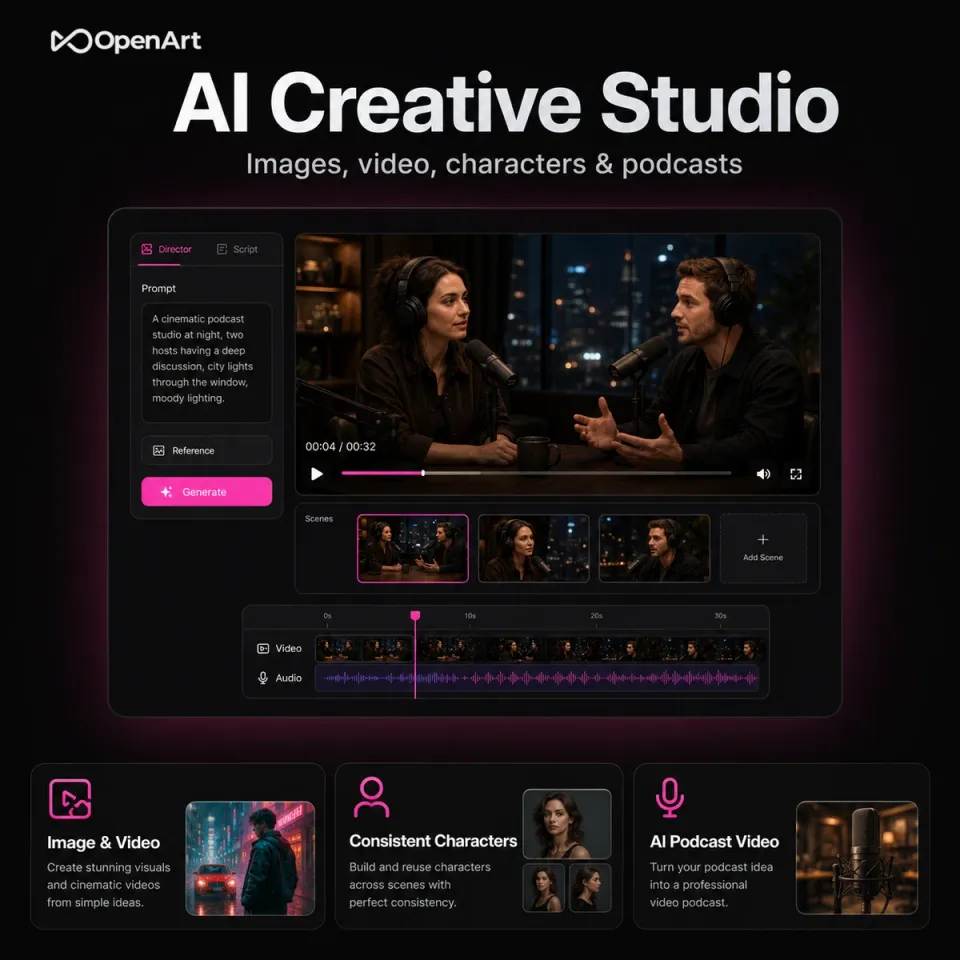
Openart AI is a comprehensive AI creator studio designed for producing high-quality videos and images with ease. It empowers users to bring creative projects to life through intuitive tools that blend advanced artificial intelligence with user-friendly controls. Whether you want to create short films, music videos, product advertisements, or social content, Openart AI offers a versatile platform tailored to diverse creative needs. At the heart of Openart AI lie three powerful technologies: the Seedance AI model, Nano Banana, and GPT Image 2.5. The Seedance AI model specializes in generating detailed, frame-level video content, perfect for producing cinematic quality short videos. Nano Banana focuses on realistic and fast image generation, making it ideal for crafting striking visuals. Meanwhile, GPT Image 2.5 adds smart, multi-turn editing capabilities, allowing users to refine images quickly and precisely. Together, these core engines enable a seamless AI-powered workflow for both video and image creation. Openart AI supports a wide range of content types, including short films, music videos, product ads, social content, and more. This makes it a one-stop solution for creators looking to develop professional-grade media for various platforms. Whether you are working on an engaging product advertisement or an artistic music video, this AI studio offers the tools to execute your vision effectively. You can explore their official website to dive deeper into Openart features and pricing, and consider your options before getting started.
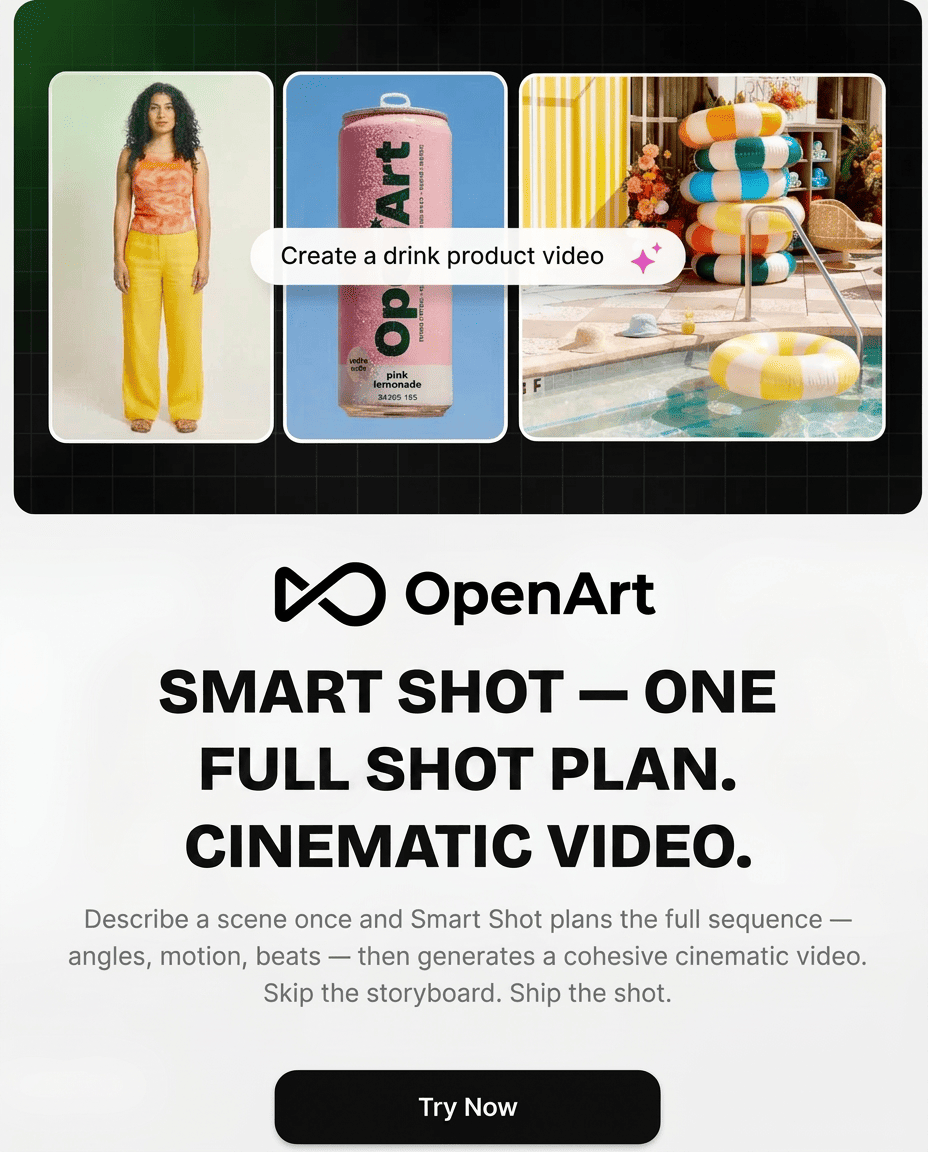
Openart AI stands out with its powerful AI-driven video editing tools, offering precise frame-level editing that lets creators fine-tune every detail. Features like motion sync and lip-sync enhance video realism by perfectly matching movements and speech, making it ideal for product ads or social content creation. In terms of image capabilities, Openart AI allows advanced editing such as extracting individual layers from flat images and replacing backgrounds seamlessly. This flexibility supports creative control without needing complex manual adjustments, a huge time saver for designers working on brand visuals or promotional materials. Another highlight is the robust asset management system. It organizes projects, brand kits, characters, and media in one place, streamlining workflow for consistent brand identity and easy access. This comprehensive setup supports content creators and marketing teams managing multiple campaigns efficiently. If you want to explore these features firsthand, it’s worth trying Openart AI for free on their official website and browsing their creative templates to see how versatile this AI creator studio can be.
Openart AI offers a clear and flexible pricing structure suitable for both casual users and professionals. When you first sign up, you receive free credits, allowing you to explore the platform’s AI image generation and video creation capabilities without any upfront cost. This free trial perk is ideal for testing features like the Seedance and Nano Banana models before committing to a paid plan. The Pro and Wonder plans unlock additional benefits, including access to premium tools and exclusive discounts—currently up to 30% off on popular Seedance and Nano Banana AI models. These plans are designed to support creators who need more extensive AI assets management and faster video editing tools for social content or product ads. For larger teams or enterprises, Openart provides custom options with special offers such as up to 50% off Seedance models, making it an excellent choice for businesses aiming to scale their AI-powered content production without breaking the bank. You might want to check for any available discounts first to maximize your savings before subscribing.
Openart AI Creator Studio stands out with its versatility, supporting both AI video creation and AI image generation seamlessly. Its use of cutting-edge AI models like Seedance 2.5 and Nano Banana 2.1 ensures high-quality, realistic outputs that cater well to various creative demands. The intuitive interface makes it accessible for users to start crafting visually stunning content without a steep learning curve in the basics. However, advanced features come with a bit of a learning curve, which might challenge newcomers eager to master all functionalities quickly. Additionally, pricing plans can be a consideration for heavy users due to the resource-intensive nature of AI video editing tools and asset management. That said, for professionals focused on detailed film-like productions or social content creation, these can be worthwhile investments. For creators aiming to produce polished product ads or social content, Openart’s pros like AI-driven editing and image layering can be a huge asset. Meanwhile, filmmakers using the Seedance 2.5 feature will appreciate the frame-level editing for greater detail. Despite the learning curve, the benefits outweigh the cons, especially when paired with exclusive deals that make the investment more accessible. If you’re curious about refining your video projects further, exploring the best AI tools for film editing can complement your use of Openart effectively. To explore the full potential of this AI creator studio and its pricing options, you can always check it out on the official website.
Getting started with Openart AI is straightforward and designed for beginners eager to create stunning visuals and videos effortlessly. First, choose between Chat Mode and Director Mode to set up your initial project. Chat Mode lets you interact with AI agents for quick creative brainstorming or content generation, while Director Mode offers a more hands-on approach for producing longer, cinematic videos with frame-level control. Next, leverage Openart’s collection of AI agents and customizable templates to craft compelling product ads and social media content. These tools simplify content ideation by guiding the creation process with preset frameworks that fit marketing goals perfectly. For example, you can quickly generate a polished video ad for a new product launch by selecting an ad template and letting AI handle scripting, visuals, and timing. Once your video is generated, refine it using Openart’s advanced editing features. Frame-level tools allow precise adjustments, from motion syncing to color grading, ensuring your output looks professional. AI enhancements like lip-syncing and background replacement make post-production seamless, even for beginners. This intuitive workflow cuts down on editing time while boosting creative control. If you’re ready to dive in, start your first Openart AI project today and explore these powerful features firsthand.
Openart AI is an excellent choice for a variety of creative professionals thanks to its versatile features and powerful AI models. Content creators focused on social media and product advertising will find it especially useful for rapidly producing eye-catching visuals and promotional videos that engage audiences effectively. The streamlined workflows and template options help speed up content generation while maintaining high quality. Filmmakers and video editors who need advanced AI-assisted tools can leverage Openart AI’s frame-level editing and sophisticated models like Seedance 2.5 to create detailed, cinematic-quality videos. The ability to extract layers, apply VFX masks, and sync motion with reference clips offers unprecedented creative control, making it a handy companion for both short films and promotional content. Brands and marketing teams looking to scale their AI asset management will appreciate the platform’s robust organizational tools and collaborative features. Managing large volumes of AI-generated images and videos becomes straightforward, contributing to efficient campaigns and consistent branding. For deeper insights and user experiences, you might want to explore detailed AI-powered image and video creator reviews. To sum up, Openart AI offers a comprehensive, innovative studio for anyone aiming to create stunning AI-powered videos and images with ease and flexibility. With competitive pricing plans and world-class AI models, it’s a strong contender for your creative toolkit. Ready to elevate your video and image creation? Start your journey with Openart AI now and unlock your creative potential!
Before you make your final decision, it might be worth checking if there are any active deals or discount codes available — a little extra savings never hurts.What Is Openart AI and How Does It Work?
Key Features That Make Openart AI Stand Out
Openart AI Pricing and Plans Explained
Pros and Cons of Using Openart AI Creator Studio
Criteria
Pros
Cons
Versatility
Supports both video and image creation
None significant
AI Technology
Uses advanced models like Seedance and Nano Banana
Complex models may require time to master
User Interface
Intuitive and user-friendly for basic tasks
Advanced tools need learning effort
Pricing
Offers scalable options for different needs
Can be costly for power users
How to Use Openart AI: Step-by-Step Guide for Beginners
Who Should Choose Openart AI for Their Creative Needs?